How to Choose the Best Tiny PC for Your Needs?
In today's rapidly evolving tech landscape, choosing the best Tiny PC can feel overwhelming. Experts, like Dr. Emily Carter, a renowned researcher in compact computing, emphasize the importance of understanding your unique needs. She once said, "Selecting the right Tiny PC requires more than just size; it’s about performance and purpose."
Tiny PCs offer impressive capabilities in a compact format. They can serve various roles, from personal use to professional tasks. Yet, many users struggle to pinpoint which features matter most. With countless models available, decision-making can often lead to confusion. Are you prioritizing processing power, portability, or expandability? Each choice impacts your user experience.
Moreover, the lack of standardization in features can create uncertainty. Not every Tiny PC is the same. For some, the choice may lead to regret if the wrong specifications are picked. Reflecting on user reviews can provide valuable insights, but experiences vary widely. Understanding the balance between your specific needs and the offerings available is crucial to ensuring satisfaction with your Tiny PC.
Understanding Tiny PCs: What They Are and Their Advantages
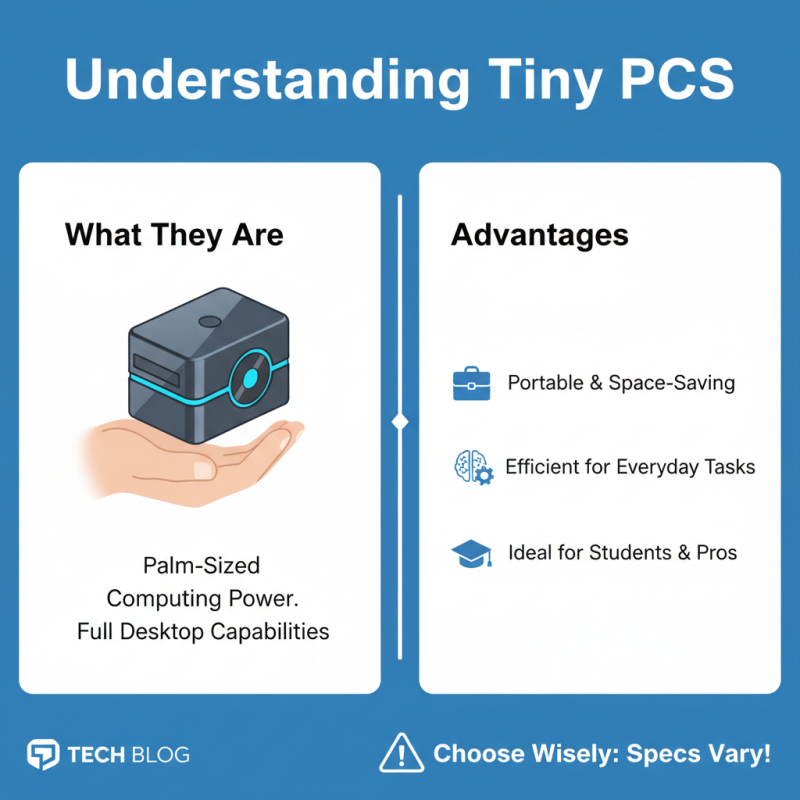
Tiny PCs are remarkable devices that deliver powerful computing in a compact form. They are small enough to fit in the palm of your hand but capable of handling everyday tasks. This makes them ideal for various users, from students to professionals. Their portability allows for easy transport, fitting seamlessly into tight spaces. However, it's essential to understand that not all tiny PCs are created equal. The specifications vary significantly, and the wrong choice can lead to performance issues.
The primary advantages of tiny PCs include energy efficiency and minimalistic design. They consume less power than traditional desktops, reducing electricity costs. Additionally, their sleek appearance can enhance any workspace. But it's vital to carefully evaluate your needs before making a decision. Some users may require more processing power for demanding applications, while others may only need basic functionality for browsing or word processing.
While many tiny PCs offer excellent versatility, seeking the right balance between size, performance, and price is crucial. It's easy to fall into the trap of selecting based solely on size or aesthetics. Reflect on your actual computing requirements to ensure that you find a model that suits you. Ultimately, a well-informed choice can lead to a satisfying experience with these compact machines.
Identifying Your Primary Use Cases for a Tiny PC
Choosing the right tiny PC begins with understanding your main tasks. Are you planning to use it for basic browsing, gaming, or graphic design? Each use case demands different specifications. If you rely heavily on multitasking, prioritize RAM. For graphic-intensive applications, focus on a strong GPU.
Tips: Make a list of applications you will run. This helps you realize your needs more clearly. Also, think about future-proofing your choice. Technology evolves quickly, and you don’t want to replace your tiny PC in a year.
If you mainly watch videos and browse, a standard configuration might suffice. However, try not to underestimate your needs. What works today may not meet demands tomorrow. Consider also space requirements; a smaller size sometimes means less cooling. Check reviews, but be aware they can be biased. Always look for honest, verified user experiences.
Key Specifications to Consider When Choosing a Tiny PC
When choosing a tiny PC, various specifications significantly influence your decision. The
processor is crucial. Look for at least an
Intel i5 or AMD Ryzen 5.
According to a recent report by IDC, these processors offer a balance of performance and efficiency.
RAM is another vital specification. Aim for a minimum of 8GB for
everyday tasks. If you multitask or run resource-heavy applications, consider 16GB.
Research by Gartner shows that more RAM leads to improved performance in multitasking scenarios.
Storage options matter too. Solid-state drives (SSDs) provide faster
data access than traditional hard drives. Opt for an SSD with at least 256GB
of space. This ensures quick system boot and speedy application launches.
Tip: Pay attention to connectivity options. Ensure the PC has enough USB ports, HDMI outputs,
and Wi-Fi capabilities.
Keep the form factor in mind. Tiny PCs can fit in limited spaces. However, not all small designs allow
for upgrades. Always check the upgrade potential of your chosen model.
Tip: Read user reviews to gauge real-world performance.
Lastly, consider the cooling system. Some tiny PCs can become hot
under load. Effective cooling can prevent throttling and ensure stable performance. Look for models with
good thermal management features.
Comparing Popular Tiny PC Models and Their Features
When choosing a tiny PC, it’s essential to focus on the features that best suit your specific needs. Various models come equipped with different specifications, making it crucial to understand what matters most. For instance, RAM plays a significant role in performance. A model with 8GB or more is preferable for multitasking. Consider the storage options as well; SSDs offer faster data access compared to traditional hard drives.
Other factors to compare include connectivity options. Some tiny PCs feature multiple USB ports, HDMI outputs, and even Ethernet connections. These elements enhance usability. Assess how these models fit into your lifestyle or workspace. Compact designs can save space, but check their cooling systems to avoid overheating during intense tasks.
Battery life is another aspect worth noting. Not all tiny PCs are designed for mobility. Some might be better suited for stationary use. Pay attention to user reviews regarding reliability over time. This feedback can illuminate potential weaknesses, allowing for more informed decisions. The ideal tiny PC aligns with your computing habits while reflecting your personal preferences.
Comparison of Features in Popular Tiny PC Models
This chart provides a comparison of different tiny PCs based on their key features including RAM size, storage capacity, and processor speed. The data reflects common specifications to help determine the best suited tiny PC for various needs.
Budgeting for Your Tiny PC: Pricing and Value Considerations
When budgeting for a tiny PC, it’s essential to find the right balance between price and features. Tiny PCs vary in cost depending on specifications and capabilities. Generally, you’ll see options ranging from a few hundred dollars to over a thousand. It’s vital to assess your specific needs first. Will you be using it for light tasks, like web browsing and streaming? Or do you require more power for gaming or graphic design? Understanding your requirements can prevent overspending.
You'll also want to consider the longevity and upgrade potential of your tiny PC. Some cheaper models might save you money initially but can lead to dissatisfaction in the long term. Is the RAM sufficient? Can you upgrade the storage easily? Think about these factors before making a purchase. While it’s tempting to choose the lowest price, remember that quality components often lead to better performance and reliability. Investing a bit more now could save you from frequent replacements later.
Finally, don't forget ongoing expenses. Accessories like monitors, keyboards, and mice add to your total cost. These can sneak up on you. Be mindful of these additional purchases when crafting your budget. Every detail counts, and planning well can enhance your overall satisfaction with your tiny PC experience.
How to Choose the Best Tiny PC for Your Needs? - Budgeting for Your Tiny PC: Pricing and Value Considerations
| Feature |
Entry Level |
Mid Range |
High End |
| Price |
$250 - $400 |
$400 - $700 |
$700 - $1200 |
| Processor |
Dual-core |
Quad-core |
Hexa-core/Ivy |
| RAM |
4 GB |
8 GB |
16 GB or more |
| Storage Type |
HDD |
SSD |
NVMe SSD |
| Graphics Capabilities |
Integrated |
Mid-range GPU |
High-end GPU |
| Ideal Use Cases |
Basic tasks (browsing, documents) |
Multimedia, moderate gaming |
Gaming, professional design |

 14 Inch Office Notebook
 Dual Screen Laptop
 Fingerprint Business Notebook
 Big Screen Laptop
 HD Gaming Laptop
 14.1 Inch Student laptops
 16.1 Inch Office Laptops
 Home Mini Host
 Industrial Micro PC
 Fanless Industrial Mini PC
 Commercial Mini PC
 RTX3050TI Game Mini PC
 Micro Mini PC
 Fanless Mini PC
 High-end Mini PC
 More
More Micro ATX Computer Motherboard