Top Tips for Choosing the Best Laptop Computer
Choosing the right laptop computer is crucial for both work and leisure. According to recent reports, nearly 90% of people rely on laptops for daily tasks. The global laptop market is projected to reach over $100 billion by 2024. With so many options available, selecting the best laptop computer can feel overwhelming. It's vital to consider personal needs and long-term usage.
Many factors influence the decision-making process. Performance specs, budget, and brand reputation matter greatly. For instance, a laptop computer with a powerful processor may cost more but could last longer and meet demanding needs. Many buyers, however, focus only on initial prices, which can lead to regret later.
One common pitfall is ignoring warranty and support services. A good warranty can save money on repairs. Additionally, many users underestimate the importance of a comfortable keyboard and screen quality. These aspects can significantly affect daily productivity. Reflecting on these details can help buyers make more informed choices.

Understanding Your Needs: Essential Factors in Laptop Selection
When choosing a laptop, understanding your needs is crucial. Consider how you plan to use it. Will you use it for gaming, work, or casual browsing? For gamers, a powerful graphics card is essential. On the other hand, if you only browse the web, a simpler model will suffice. Reflect on what tasks you do most.
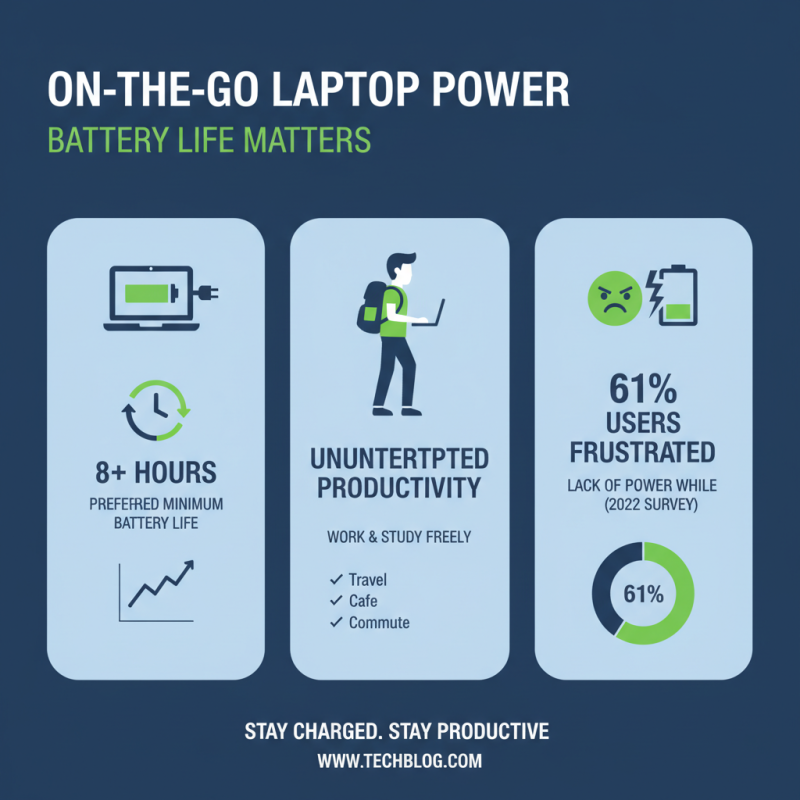
Battery life is another vital factor. A laptop that lasts all day on a single charge is helpful. Think about how often you’re near power outlets. If you travel often, you may prioritize a lightweight laptop. Size matters here too. A larger screen may be great for watching movies, but it can be cumbersome to carry.
Storage capacity is yet another area to consider. Solid-state drives (SSDs) provide speed but may cost more. Hard disk drives (HDDs) offer more space for less money. Weigh the pros and cons. A cluttered hard drive can slow down your device. Reflect on how much space you'll truly need. Striking the right balance between performance and price requires thoughtful consideration.
Comparing Hardware Specifications: CPU, RAM, and Storage
When choosing a laptop, hardware specifications are crucial. The CPU, RAM, and storage directly influence performance. Reports from industry analysts indicate that laptops with quad-core processors outperform older dual-core models significantly, especially for multitasking. For most users, a minimum of 8GB RAM is essential to run applications smoothly.
Consider these tips: Opt for at least 16GB of RAM if you plan to use multiple applications simultaneously. Higher RAM allows for better performance in demanding tasks like video editing. Also, select a laptop with an SSD over an HDD. SSDs are fast and reduce load times, enhancing overall user experience. Their speed can increase productivity.
Storage capacity matters too. Many users underestimate their storage needs. A 256GB SSD may seem sufficient, but it fills up quickly with apps, files, and media. Remember, not all laptops allow storage upgrades. Reflect on your actual needs before making a decision. A laptop that can't keep up will lead to frustration. Make a choice that balances your current requirements with future demands.
Evaluating Display Quality: Size, Resolution, and Panel Type
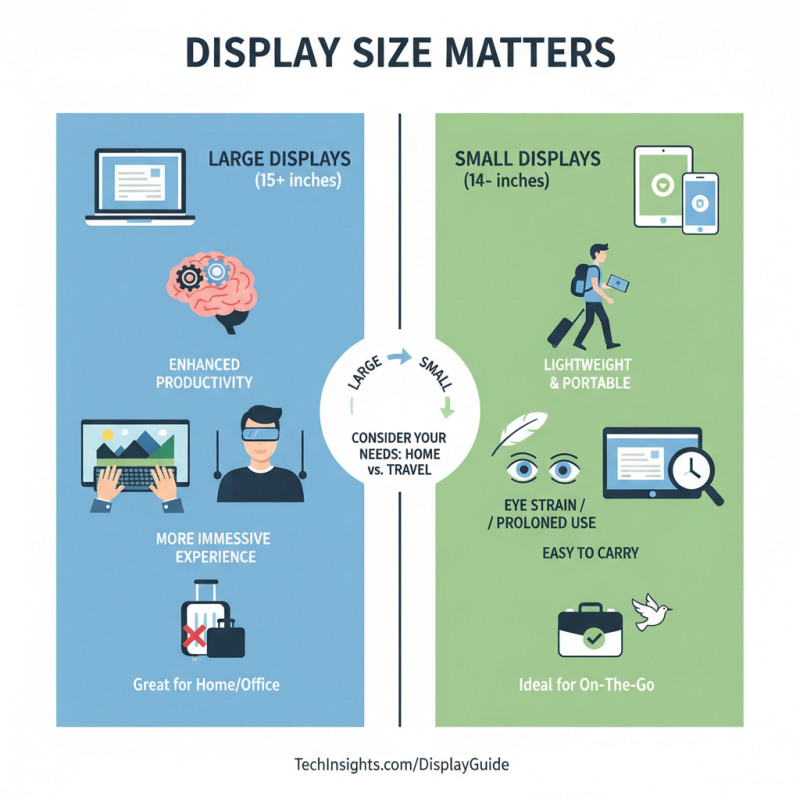
When evaluating display quality, consider size first. A larger screen can enhance productivity and provide a more immersive experience. However, it also affects portability. A 15-inch display might be perfect for home use, but it can be cumbersome on the go. Smaller screens are lightweight and easy to carry, but they can strain the eyes during prolonged use.
Resolution is another crucial factor. A higher pixel count leads to sharper images. Full HD is common, but 4K resolution is becoming more accessible. It provides exceptional detail, especially for creatives. Yet, on smaller screens, the difference may not be noticeable. This can lead to overspending on features that won’t significantly improve your experience.
Lastly, panel type impacts color accuracy and viewing angles. IPS panels deliver vibrant colors and wide views, ideal for design work. However, they may be pricier. TN panels are more affordable but can lack color depth. Reflect on your use case: Are you gaming, editing photos, or just browsing? Understanding your needs can help avoid unnecessary choices that don't enhance your laptop experience.
Analyzing Price Range and Warranty Options for Optimal Value
When it comes to choosing a laptop, analyzing the price range and warranty options is vital. A recent report by the Consumer Technology Association indicated that about 65% of consumers regret not doing more research on price-to-performance ratios. Simply put, higher-priced laptops don’t always deliver better performance. It's essential to compare specifications within your budget.
Warranty options can be a bit cloudy. Many laptops come with a one-year warranty, but that may not be enough. A study showed that nearly 25% of laptops experience hardware failures within the first three years. Investing in an extended warranty may save you money in the long run. However, the decision to buy extra coverage should be based on the laptop’s intended use. For light tasks, the risk might not justify the cost.
Also, it’s important to keep in mind that warranties vary widely. Some barely cover repairs, while others might be more comprehensive. This inconsistency can leave consumers feeling lost. Take the time to read the fine print and assess what you are truly getting. Researching these aspects helps ensure optimal value and longevity from your laptop purchase.
Top Tips for Choosing the Best Laptop Computer
| Price Range ($) |
Warranty Options (Years) |
Performance (CPU Type) |
RAM (GB) |
Storage Type |
Display Size (Inches) |
| 300 - 500 |
1 |
Intel i3 |
4 |
HDD |
15.6 |
| 500 - 800 |
2 |
Intel i5 |
8 |
SSD |
14 |
| 800 - 1200 |
2 |
Intel i7 |
16 |
SSD |
15.6 |
| 1200+ |
3 |
Intel i9 |
32 |
SSD |
17 |

 14 Inch Office Notebook
 Dual Screen Laptop
 Fingerprint Business Notebook
 Big Screen Laptop
 HD Gaming Laptop
 14.1 Inch Student laptops
 16.1 Inch Office Laptops
 Home Mini Host
 Industrial Micro PC
 Fanless Industrial Mini PC
 Commercial Mini PC
 RTX3050TI Game Mini PC
 Micro Mini PC
 Fanless Mini PC
 High-end Mini PC
 More
More Micro ATX Computer Motherboard