Top 10 Tips for Choosing the Best Small Desktop PC for Your Needs
Choosing the right Small Desktop PC can be a daunting task, especially with the myriad of options available in today's technology-driven world. Whether you're a student needing a compact machine for studying, a professional requiring a powerhouse for productivity, or a casual user looking for a reliable device for everyday tasks, the perfect Small Desktop PC can significantly enhance your computing experience. This guide aims to provide you with ten essential tips that will help you navigate the selection process and ensure you find a desktop that perfectly suits your needs.
When considering a Small Desktop PC, it's important to assess factors such as performance, size, and connectivity options. Not only do you need a machine that meets your processing requirements, but also one that complements your space and lifestyle. From processing power to memory capacity and graphics performance, each component plays a vital role in the overall functionality of your desktop. With our top ten tips, you'll be equipped to make an informed decision that aligns with your specific requirements, leading to a successful investment in a Small Desktop PC that stands the test of time.
Understanding Your Computing Needs for a Small Desktop PC
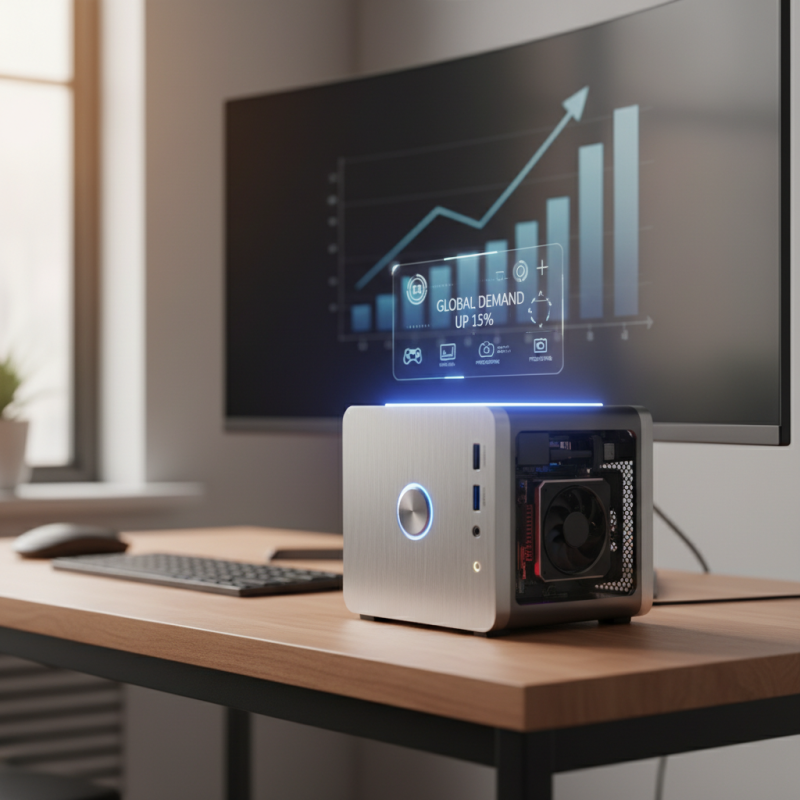
When selecting a small desktop PC, understanding your computing needs is essential for making an informed decision. According to a recent report by IDC, the global demand for compact personal computers has surged by 15% over the past year, highlighting a growing trend towards space-saving solutions without compromising on performance. Identifying specific tasks you plan to perform, such as web browsing, casual gaming, or professional photo editing, will narrow down your choices and help determine the necessary hardware specifications, including CPU power and graphics capabilities.
Moreover, considering the balance between performance and size is crucial. A survey by Gartner indicates that 65% of professionals who work from home prefer desktop PCs that offer a blend of portability and robust performance. This insight emphasizes the need for a system that can handle multitasking and demanding applications while remaining compact enough to fit in limited workspaces. By clarifying your primary use cases — whether for work, entertainment, or education — you can prioritize essential features like RAM size, storage type, and connectivity options, ensuring that your selected device is tailored to meet your specific requirements.
Evaluating Size and Form Factor for Compact Desktop Solutions
When evaluating size and form factor for compact desktop solutions, it's vital to consider how various dimensions affect usability, performance, and aesthetics. The global desktop PC market has seen a notable shift, with compact systems gaining popularity for their space-saving qualities. According to a recent industry report, compact desktop sales have increased by over 25% in the last two years, signaling a growing demand for efficient home and office solutions. This trend highlights the importance of examining the specific size that best fits your working environment.
When selecting a small desktop PC, consider the specific requirements of your setup. For instance, when measuring the available desk space, keep in mind that a PC with a smaller footprint can still house powerful components. If you plan to connect multiple peripherals, choose a model that provides sufficient ports without sacrificing size. Additionally, the form factor of the case is crucial; models that utilize innovative designs can optimize airflow and cooling, which is essential for maintaining performance.
As you explore your options, here are some tips: prioritize models with versatile configurations that allow for later upgrades, and assess the noise levels of the unit, especially if you’re in a quiet environment. Moreover, investigate whether the case design supports efficient heat dissipation while maintaining compactness. By carefully evaluating these factors, you can find a small desktop PC that meets your needs without compromising on performance or comfort.
Key Hardware Specifications to Consider in Small Desktops
When selecting the best small desktop PC for your needs, understanding the key hardware specifications is crucial. Start by considering the processor, as it determines the performance and capabilities of your machine. Look for a multi-core processor that suits your workload—whether for everyday tasks or more demanding applications. Additionally, ensure that the CPU has adequate clock speed to handle your required software seamlessly.
Another important specification is RAM. For general use, 8GB of RAM is often sufficient, but if you plan on multitasking or using resource-heavy applications, opt for at least 16GB. This will ensure smooth performance without slowdowns. Storage is also a critical factor; solid-state drives (SSDs) are generally faster and can significantly improve boot times and file access speeds compared to traditional hard drives. Aim for a combination of both SSD for the operating system and key applications, alongside a larger hard drive for additional storage.
Lastly, don't overlook the graphics capability of your small desktop PC. Integrated graphics can handle everyday tasks, but if you intend to play games or perform graphic-intensive work, look for a dedicated GPU. Understanding these hardware specifications will help you make an informed decision, ensuring your small desktop PC meets your specific needs.
Top 10 Tips for Choosing the Best Small Desktop PC for Your Needs
Assessing Portability and Connectivity Features in Small PCs
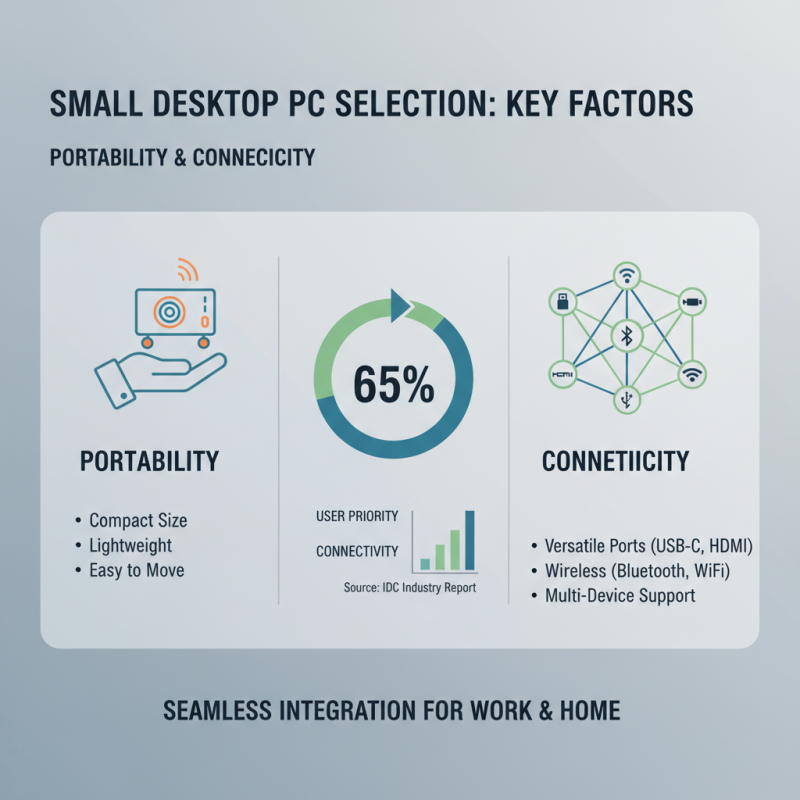
When selecting a small desktop PC, one of the most critical factors to consider is its portability and connectivity features. A recent industry report from International Data Corporation (IDC) highlights that more than 65% of users prioritize connectivity options such as USB-C, HDMI, and Bluetooth when choosing their devices. This trend reflects the increasing demand for small PCs that can easily integrate into various work and home environments, allowing users to connect multiple peripherals without hassle.
Portability also plays a significant role, especially in today’s fast-paced world where more individuals are working remotely or in co-working spaces. According to Gartner, small form factor PCs have seen a 30% increase in sales as professionals seek lightweight, compact solutions that easily fit in backpacks. When assessing portability, factors such as weight, dimensions, and the ability to run on battery power become vital. A well-designed small desktop PC should ideally combine a compact footprint with robust connectivity options to ensure seamless user experience and adaptability in diverse settings.
Budget Considerations When Choosing a Small Desktop Computer
When selecting a small desktop PC, budget considerations remain a critical factor that can significantly impact your overall satisfaction and performance. According to industry research by IDC, the average cost of a small desktop PC typically ranges between $300 and $800, depending on specifications and features. For budget-conscious consumers, it’s essential to strike a balance between affordability and functionality. Prioritizing essential components such as the processor, RAM, and storage options can help ensure that you get a system that meets your needs without overspending.
Additionally, reports from Gartner highlight that many users often overlook hidden costs associated with purchasing a small desktop PC. These may include necessary peripherals like monitors, keyboards, and mice, which can add an additional $100 to $300 to your total expenditure. Furthermore, it's prudent to consider the long-term costs such as energy efficiency and potential upgrades when making your choice. By conducting thorough research and comparing various models within your budget, you can find a small desktop PC that not only fits your financial plans but also enhances your productivity and computing experience.

 14 Inch Office Notebook
 Dual Screen Laptop
 Fingerprint Business Notebook
 Big Screen Laptop
 HD Gaming Laptop
 14.1 Inch Student laptops
 16.1 Inch Office Laptops
 Home Mini Host
 Industrial Micro PC
 Fanless Industrial Mini PC
 Commercial Mini PC
 RTX3050TI Game Mini PC
 Micro Mini PC
 Fanless Mini PC
 High-end Mini PC
 More
More Micro ATX Computer Motherboard